
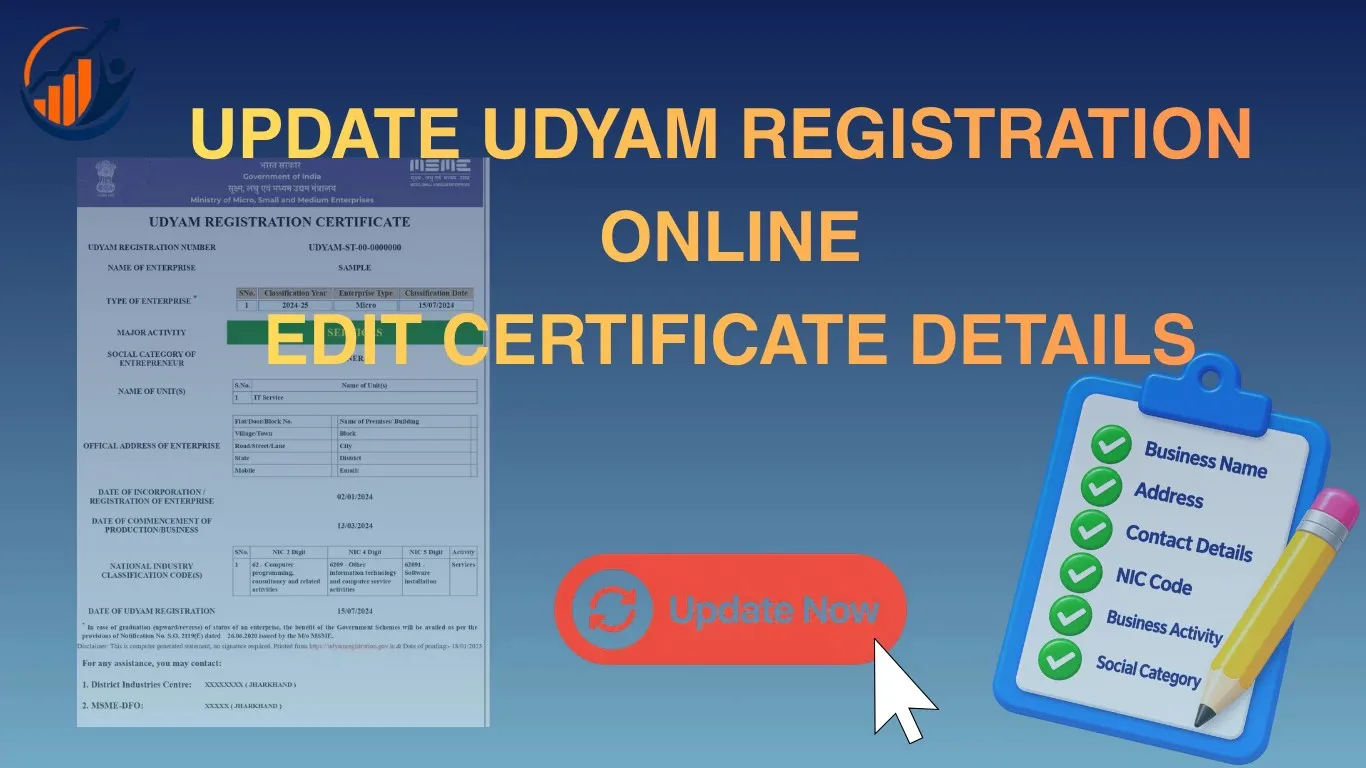
 Update Guide
Learn how to update your Udyam Registration online. Edit business name, address, activity & bank details, and download your new MSME certificate.
When running a business, various changes may occur as the business grows, such as changes in contact information, an increase in annual turnover, or a change in the business address. If an MSME has a Udyam Registration Certificate, it is important to keep the registration details up to date whenever there is a change in the business information.
Many MSME owners think they don't need to update their Udyam Registration Certificate after getting it. However, this is not entirely correct. Businesses must keep their Udyam Registration details up to date and update information when necessary, especially when there are changes in investment, turnover, or other business details.
In this article, we will explain how MSME owners can update Udyam Registration Certificate and which details they can update.
Why Would You Need to Update Your Udyam Certificate?
The business details could have changed a long time ago. Add a new business activity, turnover, or investment change; sometimes an office shifts to a new city, contact details change, or other information changes.
Common reasons owners choose to update Udyam Registration certificate information include:
- Change in business address or contact number
- Updated annual investment and turnover figures
- Addition of a new business activity or NIC code
- Correction of a spelling mistake in the owner's name or business name
- Change in bank account details
Government departments, banks, and lenders often check this certificate before approving loans or subsidies under MSME schemes. If the numbers or address on it are outdated, your application can get delayed or rejected on the spot.
How to Update Udyam Registration Online
Here are some easy steps to update Udyam Registration Certificate and keep your business details correct online.
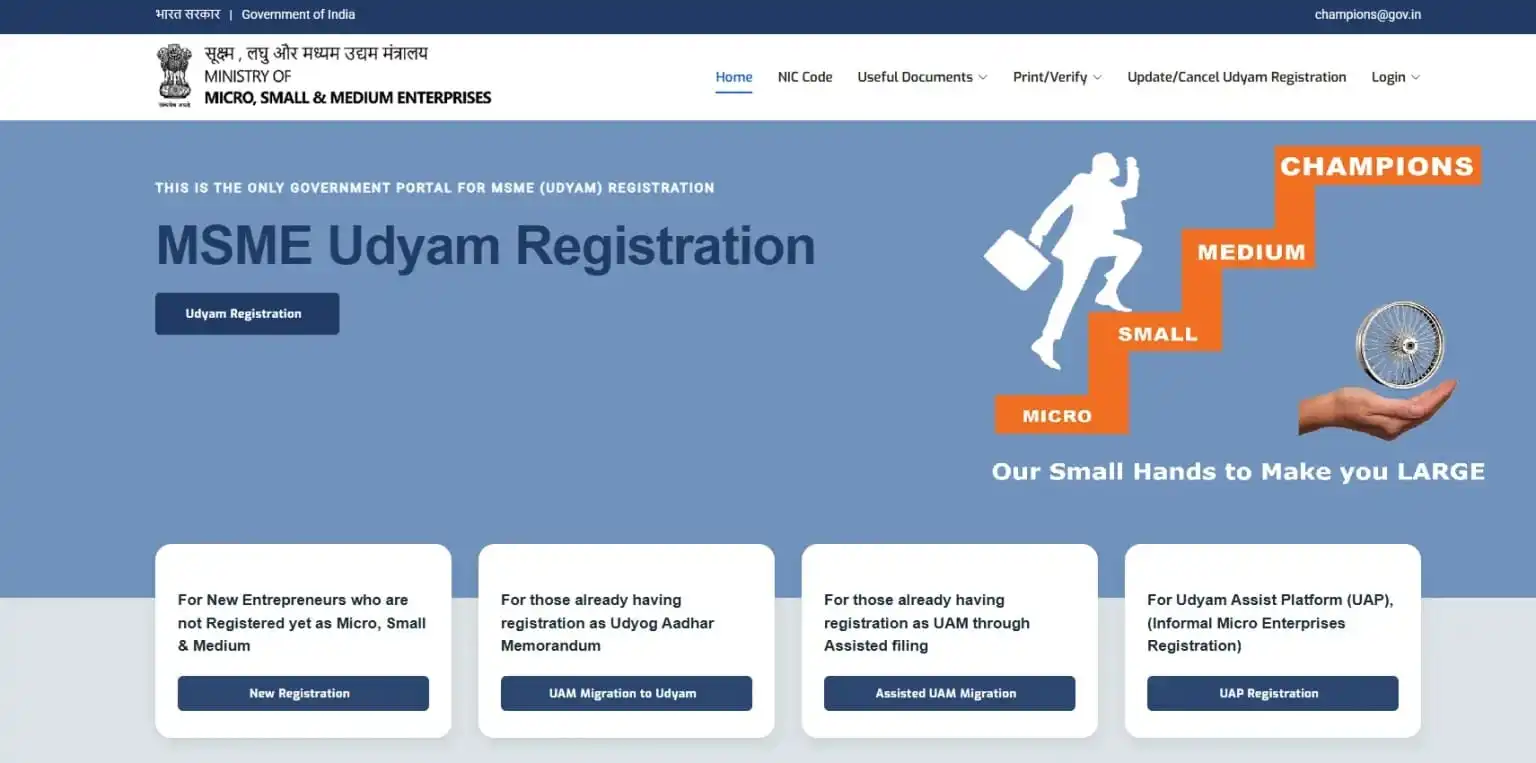
Step 1: Visit the Official Udyam Portal
Open the Udyam Registration portal and look for the "Update/Cancel Udyam Registration" option. This option is visible on the navigation bar.
Step 2: Login to the Udyam Portal
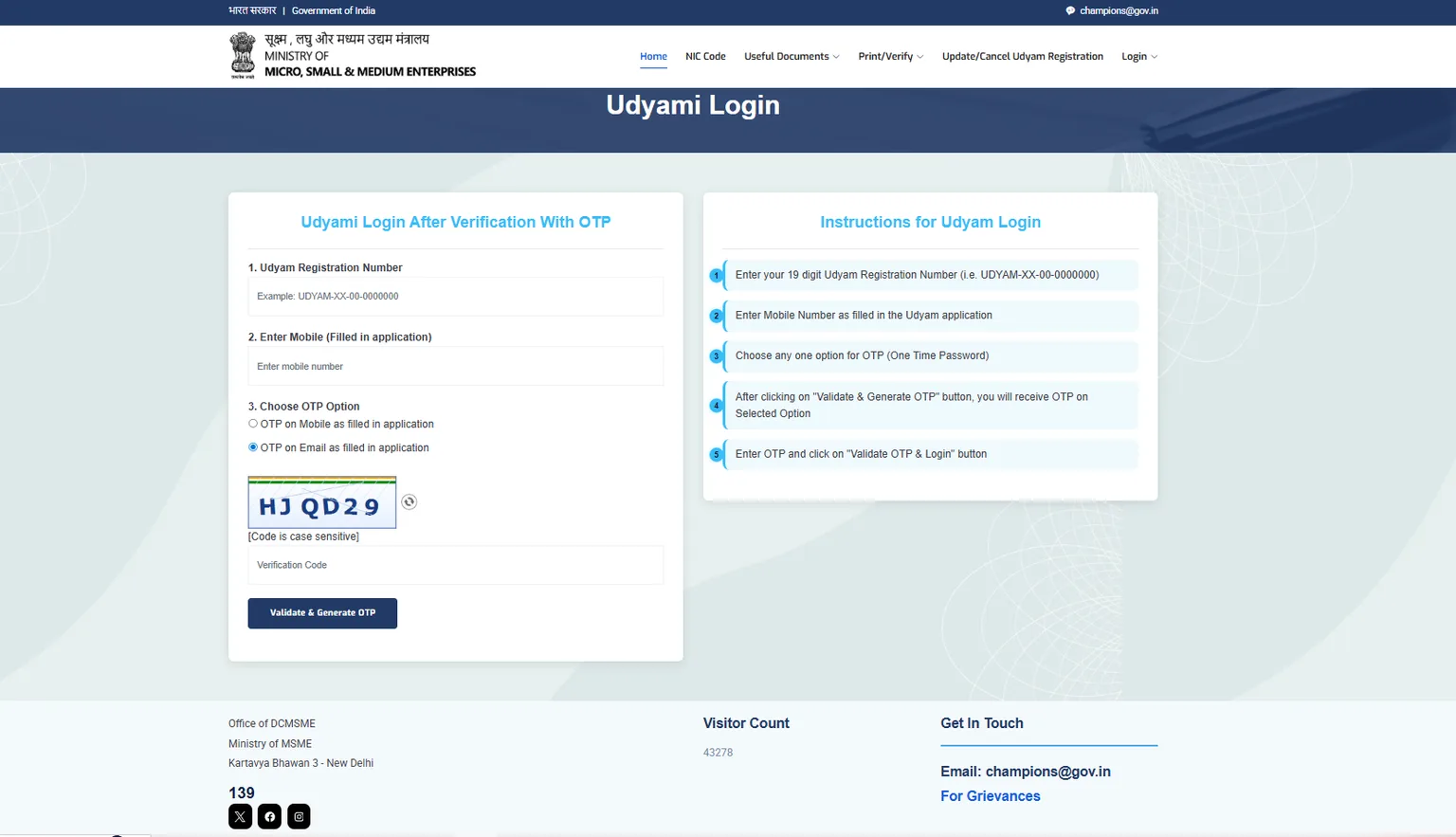
Enter:
- 19-digit Udyam Registration Number (URN)
- Registered mobile number
- Choose OTP option (mobile number/email ID)
An OTP will be sent to your registered mobile number or email ID. Type in the correct OTP.
Step 3: Edit Details
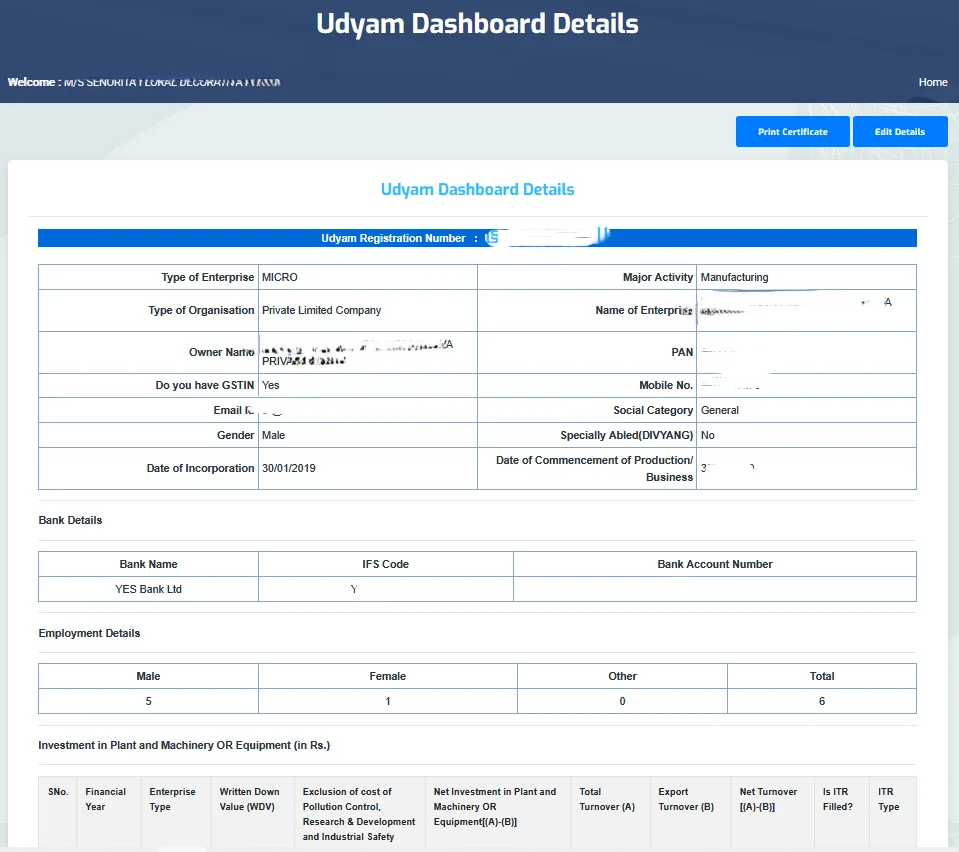
Once you successfully log in to the Udyam Portal, it opens the existing certificate details on the screen. Then click the "Edit Details" button.
Step 4: Edit Details That Need Changing
Update what needs changing, like business address, turnover and investment details, bank details, NIC code, contact details, or anything else. Review all the changed details and click on the "Update Details" button.
Step 5: Download Updated Certificate
At the end, click the "Print Certificate" option to download your updated Udyam Registration Certificate.
What Details Can Be Edited on the Udyam Portal?
The MSME Portal allows business owners to edit some information. You can change:
- Mobile number
- Email ID
- Business address
- Type of organisation (proprietorship, partnership, private limited, etc.)
- Bank account details
- Investment and turnover figures
- NIC codes
- Date of commencement
- Date of incorporation
- Classification year
- Employee details
- Business activities
Details That Cannot Be Edited in the Udyam Certificate
There is some information that cannot be changed after you have completed the registration process, such as:
- PAN details
- Aadhaar details
- Proprietor / owner name
- The state and district cannot be changed in the business address
This information can't be modified, nor can any related changes be made to the Udyam Certificate. If you find these details are mismatched or incorrect, you can cancel Udyam Certificate.
What Do You Need to Update Your Udyam Registration?
To update your Udyam Registration, keep these details ready:
- Udyam Registration Number (URN)
- Registered mobile number
- Registered email ID
Having the correct details will make the update process easier and help you avoid any mistakes.
Mistakes to Avoid While Editing Your Certificate
- Entering the wrong Udyam number: Even a single-digit error stops the process from fetching your record.
- Skipping turnover updates: Many owners forget yearly turnover, which then shows outdated figures that don't match ITR filings.
- Ignoring NIC code changes: Adding a new product or service without updating the NIC code can cause classification mismatches during business verification.
- Using an unregistered mobile number: During the OTP verification process, the mobile number entered doesn't match the one linked to Udyam.
How Often Should a Business Update Its Udyam Certificate?
There's no fixed time set for this, but a yearly review works well for most businesses, ideally after filing income tax returns; your investment and turnover details are automatically fetched. It also makes sense whenever there's a change in address, bank account, business activity, or other information mid-year.
Summary
Keeping your Udyam Certificate updated is important as your business changes and grows. You can easily update your business details online when you need to.
The online update process is simple if you have your Udyam Registration Number, registered mobile number, and email ID ready.
Make sure you regularly update details like turnover, investment, business activity, and contact information. This helps keep your MSME records correct and can help when applying for government schemes, business loans, or tenders.
Frequently Asked Questions (FAQs)
What details can I update in Udyam Registration?
You can update on the Udyam portal: business name, address, bank details, turnover and investment, mobile number, email ID, NIC code, classification year, date of commencement, date of incorporation, and number of employees.
Can I update my shop or office address in Udyam Registration?
Yes, you can update your business address anytime, but the state and district cannot be changed. If you moved your business to a different state or district, cancel your Udyam Certificate.
Can I change my mobile number and email ID?
Yes, you can update both easily. But OTP verification is required first. The system will send a code to your old registered mobile number or email to confirm authentication; then you can add the new contact details.
What details cannot be changed in Udyam Registration?
You cannot change the applicant's name, Aadhaar number, business address in the state and district, and PAN number. If you find that these details are wrong, cancel your Udyam.
What to do if MSME owners forget their Udyam Registration Number?
If you forgot your Udyam registration number, you can recover it easily using your registered mobile number and email ID.
Can MSME owners add multiple business activities in the Udyam Certificate?
Yes, you can add multiple business activities to your Udyam Certificate. You can select any one activity as the primary activity and add other activities related to your business.